
A new intake, campaign or campus page often starts from content your team already maintains. Copying that structure can save time, but each new draft still needs a review of its dates, links, wording and shared references.
Prajesh Content Clone provides quick draft copies and a guided batch workspace. This guide covers version 0.2.0 and explains the separate workflow for updating a published original.
Before you start
- Use WordPress 6.5 or later and PHP 8.2 or later.
- Install and activate Prajesh Content Clone. Open Tools → Content Clone.
- Start with a few familiar pages and an account permitted to edit them.
- Keep a current backup before using Rewrite & Republish on important content.
Normal copying creates a new draft and leaves the original in place. Rewrite & Republish is a separate action that updates the existing original after an explicit review and confirmation.
1. Select your source records
In the Copy workspace, choose an eligible content type. Search for the records you need, apply the available status filter and select the sources. The plugin respects WordPress permissions and any administrator restrictions.
For a single item, use Clone or Copy and edit in an enabled content list, editor panel or toolbar location. Quick actions use your personal preset and create drafts.
2. Choose what each copy should contain
Choose supported fields such as content, excerpt, taxonomy assignments, featured-image references or registered scalar metadata. Review the available options on your site rather than assuming every metabox can be copied.
Use naming controls to make the new drafts easy to identify. A suffix such as “September intake” is clearer than a collection of identical titles. Save a personal preset for a workflow you repeat.
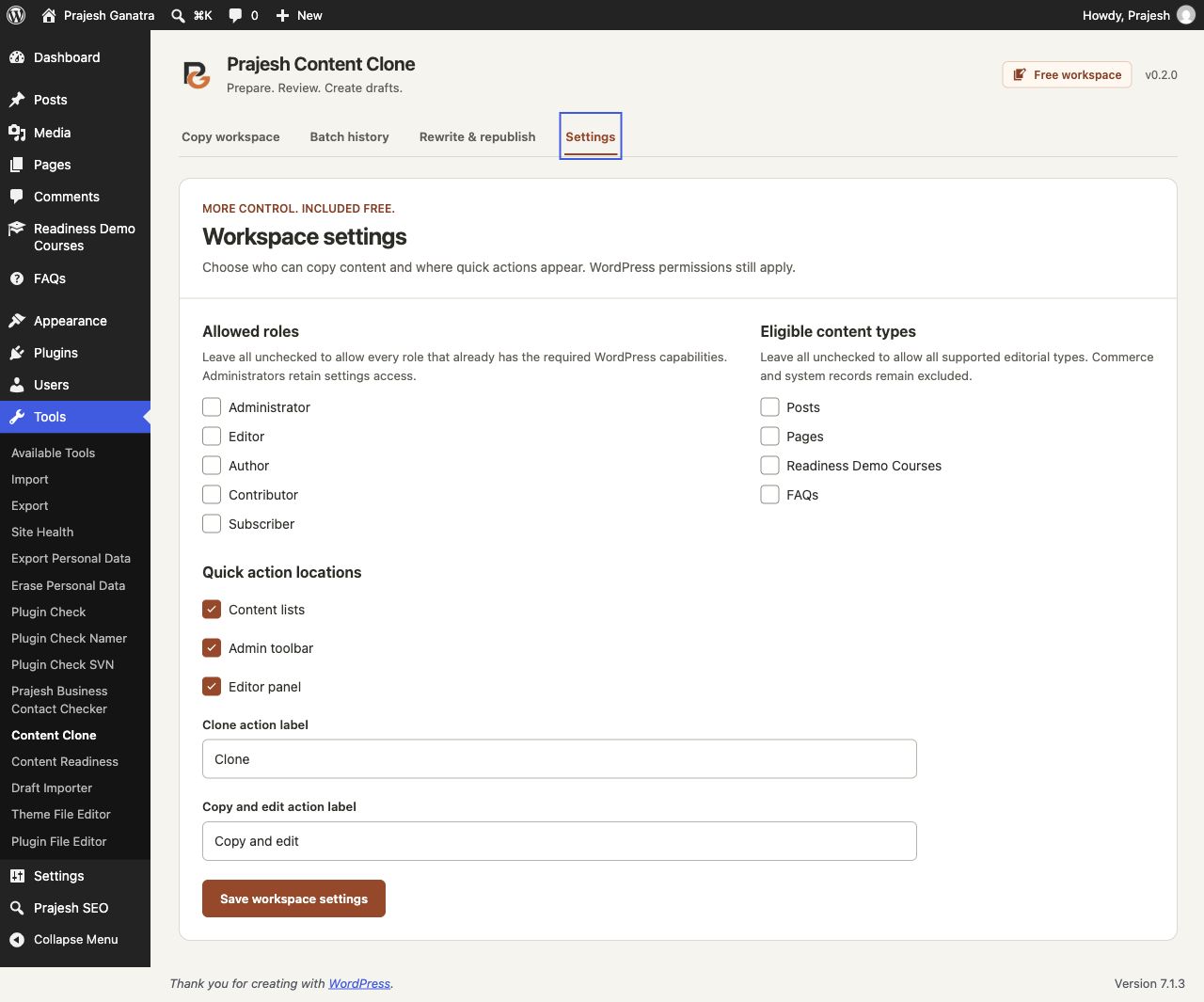
Administrators can configure eligible roles, content types and action locations in Workspace settings. These choices do not grant additional WordPress capabilities.
3. Review the proposed copies, then create drafts
Before confirming a batch, check each proposed title and compatibility note. Resolve unsupported data instead of assuming it will be copied correctly. Confirm only the records you intend to create.
Processing uses small groups of records per request. New normal copies remain drafts; the plugin does not publish them directly. Open each draft in WordPress to finish its wording, links, dates and page-specific details.
4. Track results and recover unused copies
Review individual outcomes and recent batch history. If you pause between requests, resume the batch to continue processing the remaining records.
If a generated batch is no longer needed, recovery rechecks permissions, draft status and fingerprints. It moves only eligible unchanged generated drafts to Trash and skips copies edited afterward. It does not force-delete when Trash is disabled, and it does not reverse a Rewrite & Republish action.
5. Use a working draft to update an existing page
When you want to keep the original URL, use the separate Rewrite & Republish workspace. Create a working draft from published content you can edit and publish, make your changes in WordPress, then refresh the saved comparison.
Review the supported field differences and explicitly confirm an immediate or scheduled update. The original retains its URL, publication status, author, original publication date, parent and comments. Supported reviewed values are replaced by the working copy.
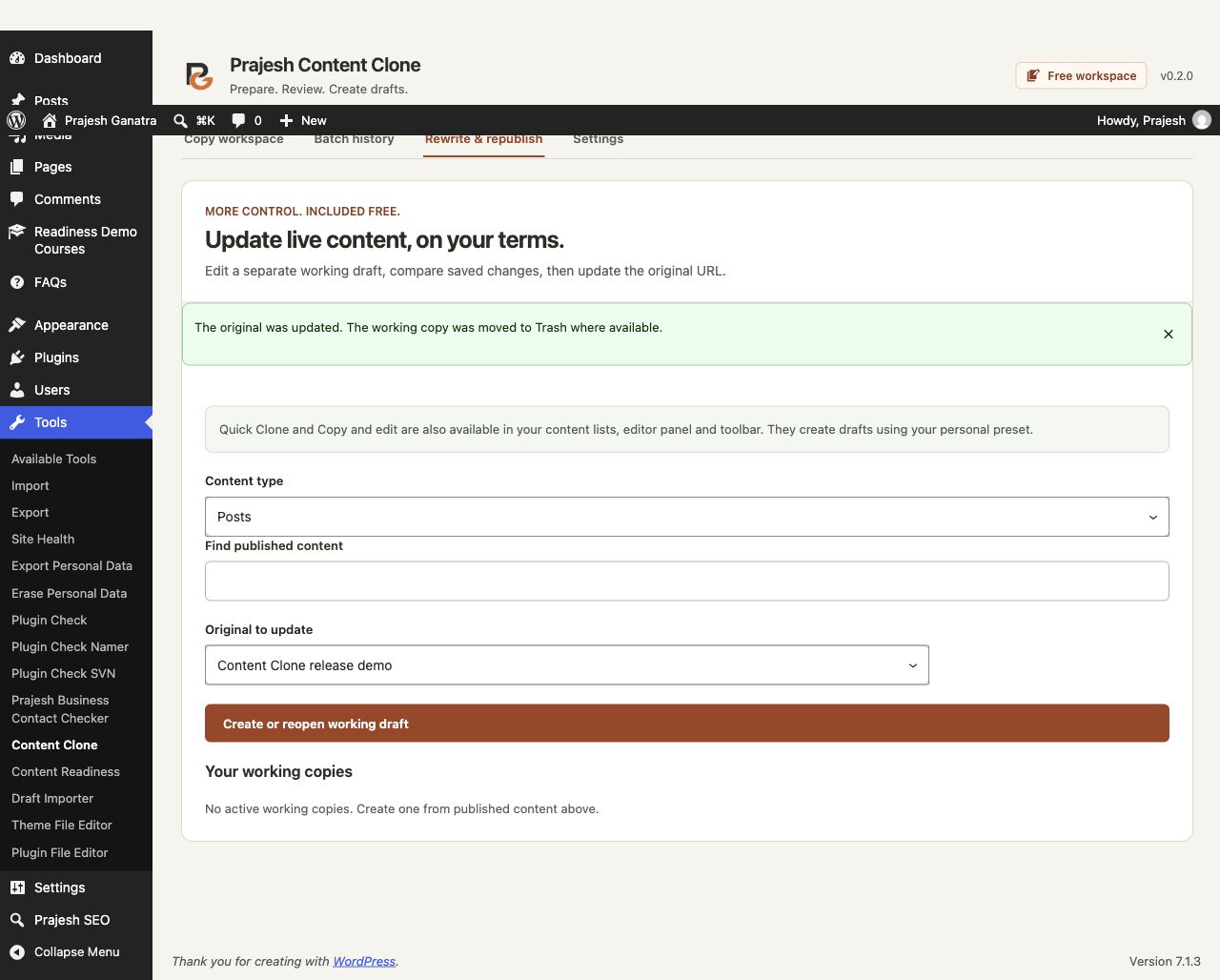
Changes to the original, working copy, field definitions or required permissions block the update. Scheduled execution depends on WordPress Cron and is not guaranteed at an exact time. Third-party integrations can have effects outside a database transaction.
Practical limits
Physical media files, comments, revisions and child records are not duplicated. Links, media, synced blocks and other referenced resources can remain shared. Products, orders and other system or commerce records are excluded.
Supported ACF fields are simple fields in supported direct post-type groups. Elementor support has a limited tested scope; it is not a promise of compatibility with every widget, Pro feature or add-on. Unsupported builders or fields may block copying or be omitted as documented.
Batch records, presets and update records are stored on your own site. The plugin does not send content or usage data to the developer or require a remote account. Read the plugin details and directory readme for the current scope.