
Free WordPress plugin / By Prajesh Ganatra
Prepare. Review. Create drafts.
Prepare batches of WordPress draft copies with per-record previews, personal presets, resumable processing and individual results. Use a separate reviewed workflow to update a published page.
For content editors, marketing teams and agencies preparing repeatable WordPress pages.
A familiar problem
Built around the way
you manage content.
A new intake, campus page or campaign often starts from familiar content. Review what each copy will contain before creating drafts, then track the results from one workspace.
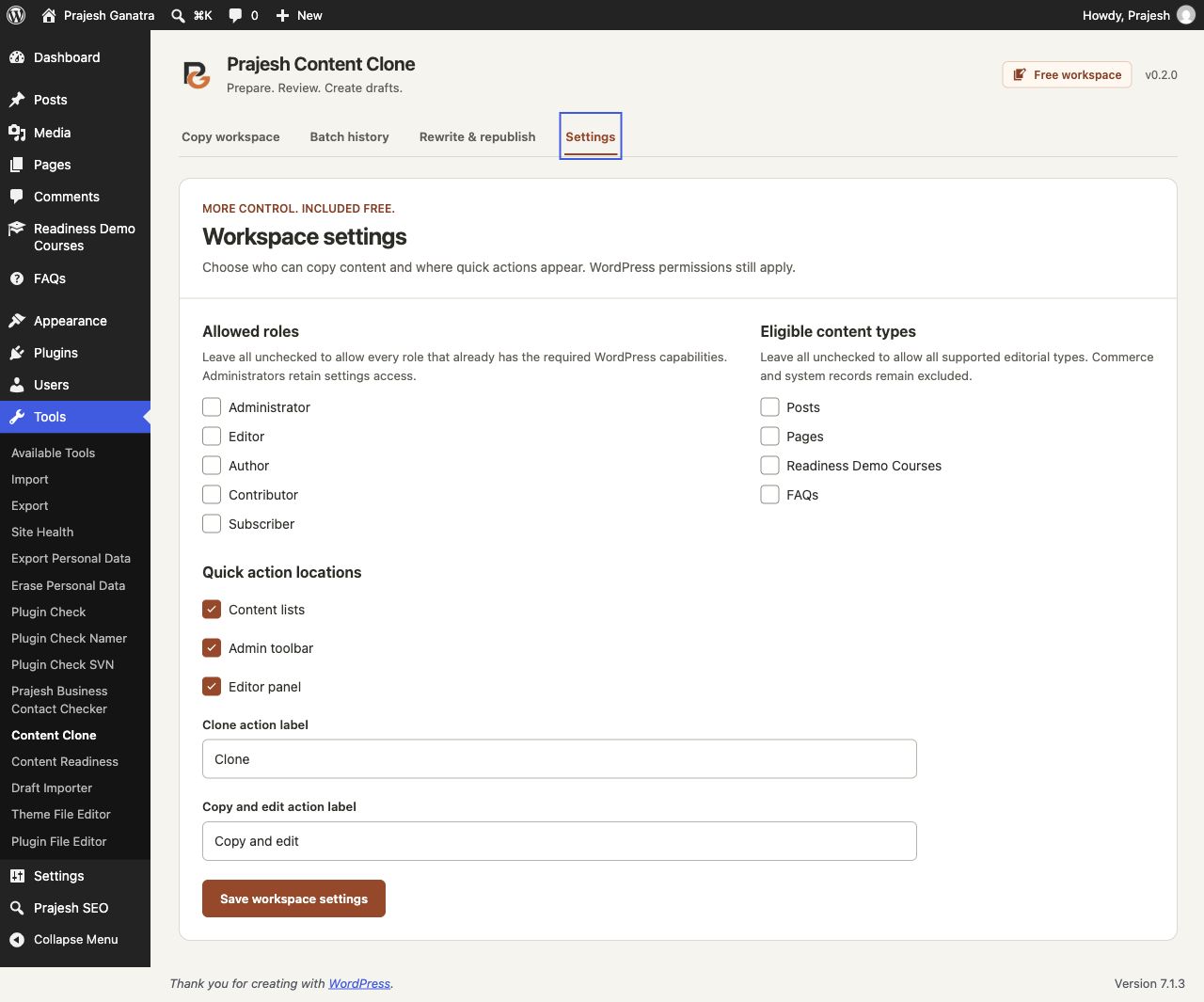
- Quick Clone and Copy and edit actions create drafts.
- Review proposed titles, supported fields and compatibility notes before batch creation.
- Save personal presets, pause and resume batches, and review individual outcomes.
- Recover unchanged generated drafts; edited copies are skipped.
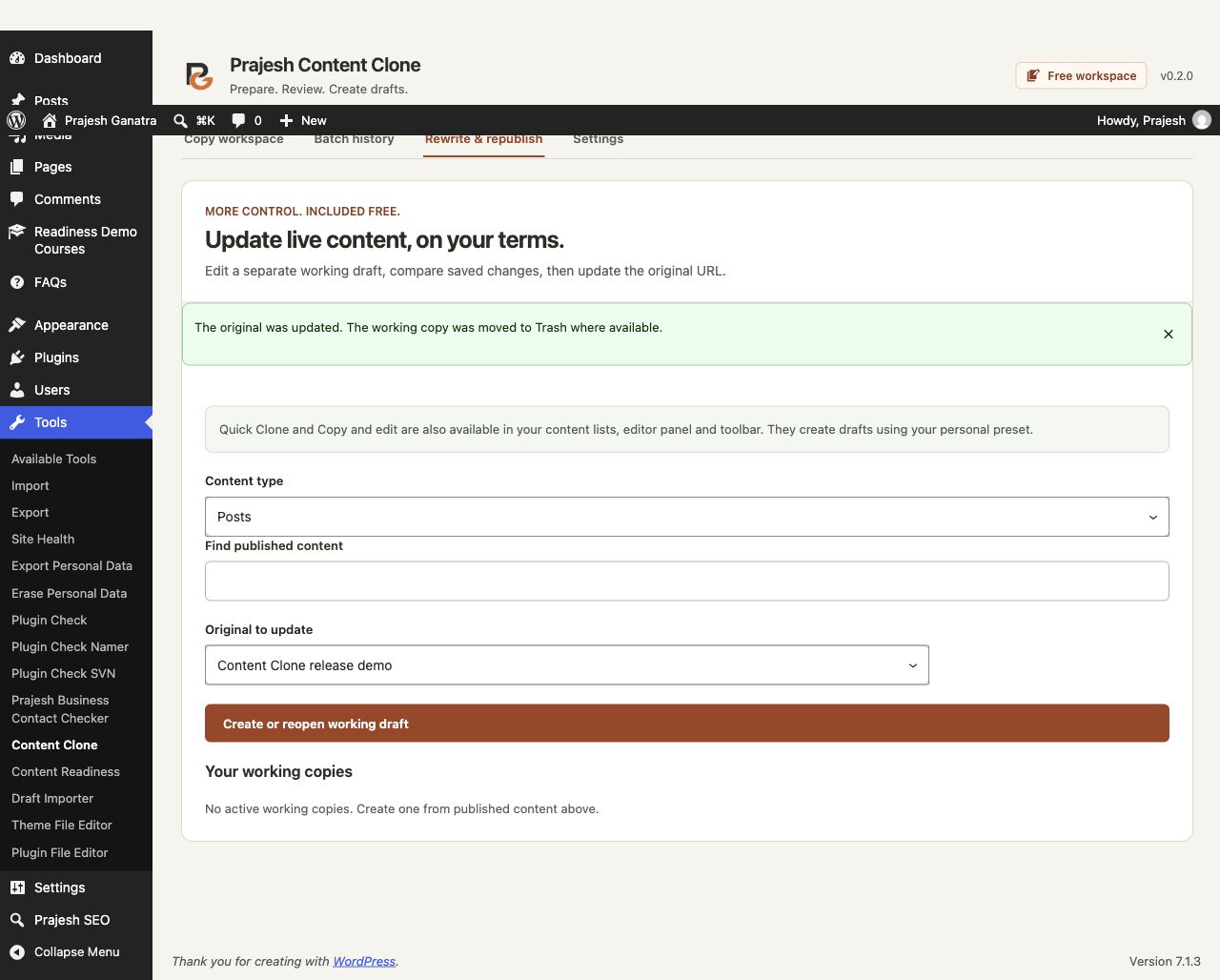
- Compare a separate working draft before an explicitly confirmed immediate or scheduled update.
Getting started
A straightforward workflow.
- 01
Choose your starting point
Open Tools → Content Clone, choose a content type and select records you can edit. Quick Clone and Copy and edit actions are also available where enabled.
- 02
Set up and review copies
Choose supported fields and naming options. Review each proposed draft and compatibility note, then confirm creation. All normal copies start as drafts.
- 03
Track results and edit
Open the generated drafts in WordPress. Pause and resume batches between requests, review history, and recover unchanged drafts if needed.
Open Plugins → Add New Plugin, search for “Prajesh Content Clone”, then install and activate it. Check the requirements above first.
Inside the plugin
See the tools you’ll use.
Before you install
A few useful answers.
Supports eligible editorial content and declared fields. Media files, comments, revisions and child records are not duplicated. Referenced media and other resources may remain shared. Builder support is limited; this is not a site backup or migration tool.
Will cloning change the original?
Normal copying creates new drafts and leaves the original content in place. Rewrite & Republish is a separate workflow that updates the original only after review and explicit confirmation.
Can it copy every custom field or page builder?
No. Supported registered scalar metadata and simple ACF fields can be copied. Elementor integration has a limited tested scope. Unknown or unsupported builder data can block copying; arbitrary protected metadata and complex fields are outside this release.
Can I recover a batch I no longer need?
Recovery rechecks permissions, status and fingerprints. It moves eligible unchanged generated drafts to Trash and skips copies edited afterward. It does not reverse a Rewrite & Republish action or force-delete when Trash is disabled.
Does it duplicate images and child pages?
Featured-image references can be retained, but physical media files, comments, revisions and child records are not duplicated. Review links and shared references in each new draft.
How do scheduled updates work?
They depend on WordPress Cron and are not guaranteed to execute at an exact time. Changes to the original, working draft, field definitions or required permissions stop the update for review. Keep normal backups; database transactions cannot undo external effects from third-party integrations.
Is it free and private?
All included functionality is free. No account, license key or remote service is needed. Presets and workflow records are stored locally on your site; no usage data is sent to the developer.
Ready when you are
Make the next update easier.
Download the current release and find support on WordPress.org.
Requirements reflect the directory catalogue checked 16 November 2026. Check WordPress.org for the latest compatibility information.