
Free WordPress plugin / By Prajesh Ganatra
New document. The right links, reviewed first.
Find local PDF, Word and Excel documents, see which supported posts and pages use them, and review selected link replacements before applying.
For content editors, marketing teams and agencies maintaining downloadable documents.
A familiar problem
Built around the way
you manage content.
A prospectus or price list changes, but the older file is linked from several pages. Find supported uses, select the records to update and review the replacement before saving.
- Upload documents into folders organised by file type.
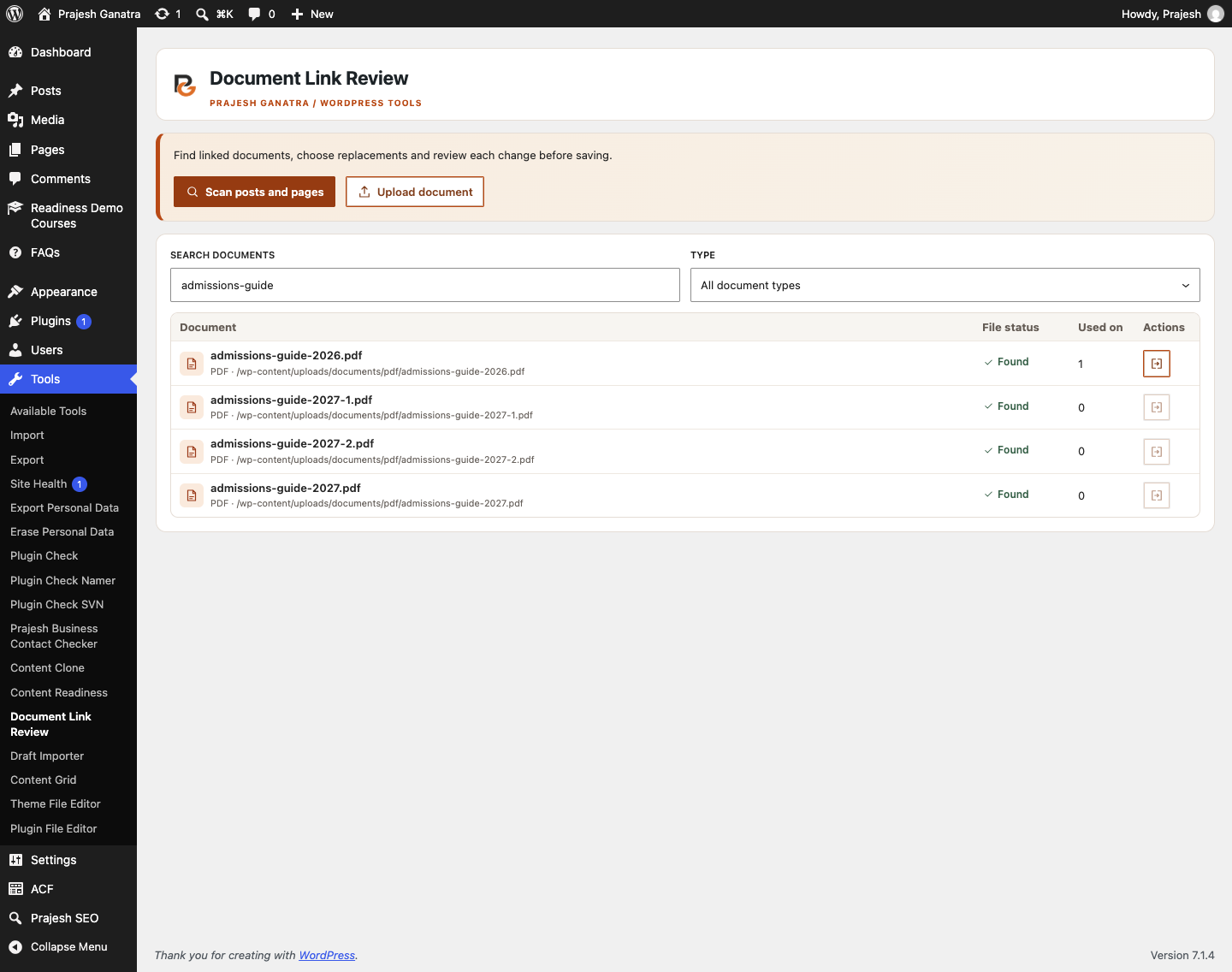
- See local file status and supported usage in a compact document grid.
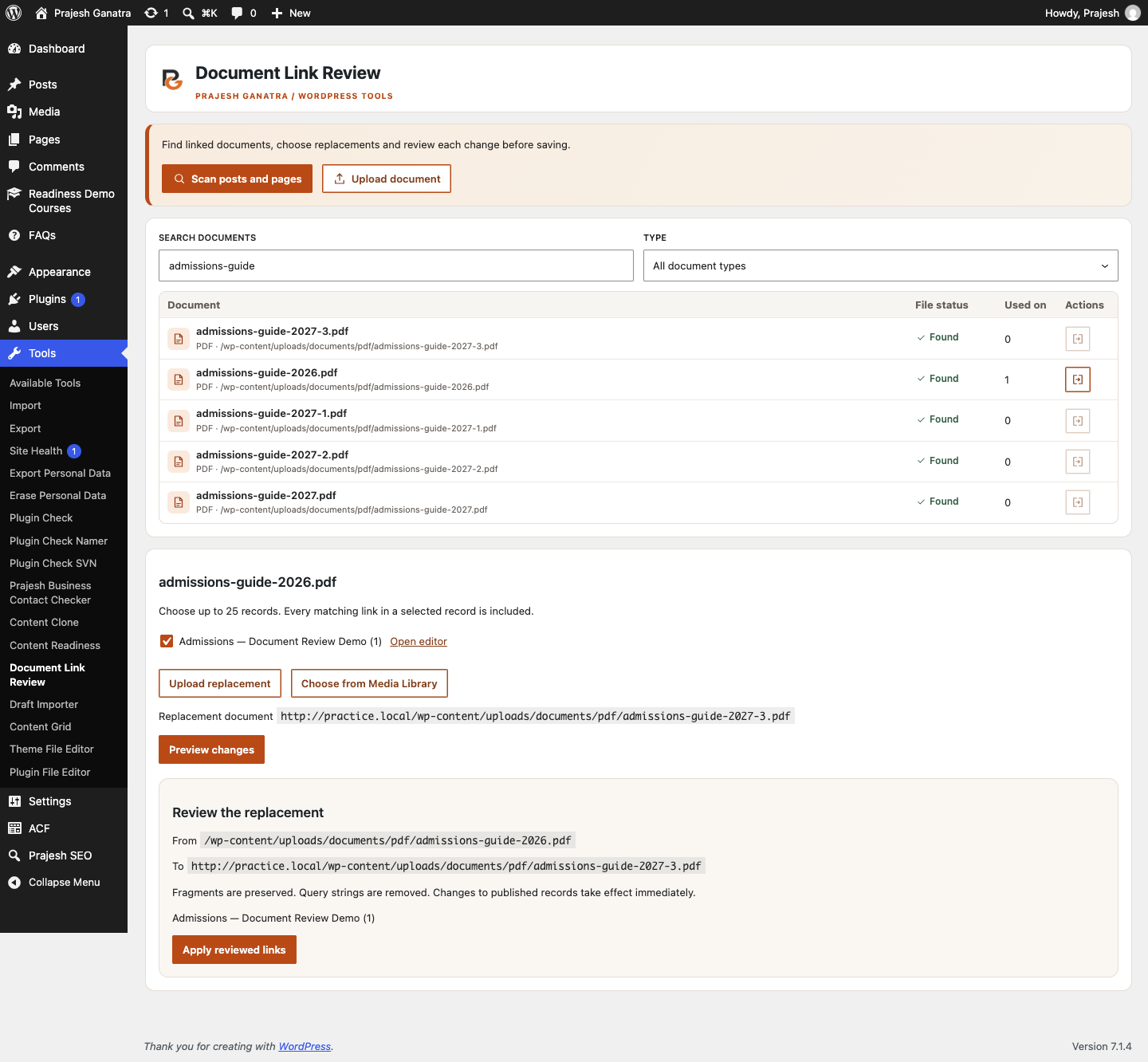
- Preview replacements for up to 25 selected records before applying.
Getting started
A straightforward workflow.
- 01
Find and organise documents
Open Tools → Document Link Review. The grid loads local document links and eligible Media Library documents. Upload PDFs, Word or Excel files into type-specific folders.
- 02
Choose the records to update
Open a document’s Review links action. Select up to 25 records and upload a replacement or choose a document of the same type from the Media Library.
- 03
Preview and apply
Compare the source and replacement, confirm the affected records and apply reviewed links. Check each result and refresh the grid.
Open Plugins → Add New Plugin, search for “Prajesh Document Link Review”, then install and activate it. Check the requirements above first.
Inside the plugin
See the tools you’ll use.
Before you install
A few useful answers.
Checks supported saved anchor links in posts and pages. External URLs, custom fields, page builders, synced patterns and dynamic blocks are outside the scan. Published content changes take effect when applied.
Where are new documents saved?
Under the configured WordPress uploads directory in documents/pdf, documents/word or documents/excel. WordPress also creates a Media Library attachment with a unique filename.
Does uploading update existing links?
No. Uploading adds a new attachment. Existing links change only after you preview and explicitly apply the selected replacements.
Does this replace or delete the original file?
No. The original file and attachment are retained. Only supported matching links in your selected records are updated.
Will this find every document link?
No. It checks supported saved anchor links in posts and pages. External URLs, custom fields, page builders, synced patterns, dynamic blocks and template content are excluded. Remote-only files may appear missing.
Is content sent to an external scanning service?
No. Scanning runs on your site. The scan and review are held in the current browser tab; WordPress stores uploaded attachments and content changes you apply.
Ready when you are
Make the next update easier.
Download the current release and find support on WordPress.org.
Requirements reflect the directory catalogue checked 16 November 2026. Check WordPress.org for the latest compatibility information.