
Say a programme name changes and five WordPress posts need updated titles. Prajesh Content Grid lets you stage those edits together and compare each proposed title with the saved value before applying the batch.
1. Choose your records and columns
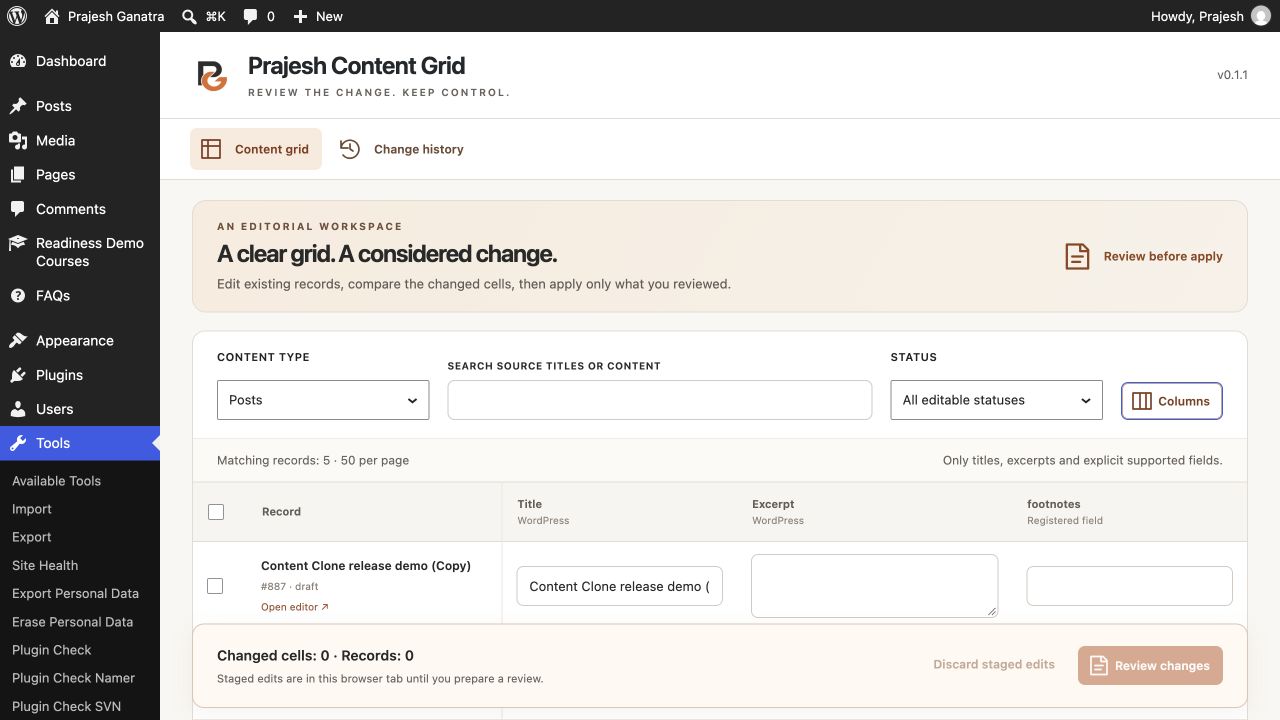
Install and activate Prajesh Content Grid, then open Tools → Content Grid. Choose Posts, Pages or an eligible custom post type. Search by title or content and narrow the list by status. Use Columns to choose the fields you need.
2. Stage the changes
Type a proposed title or excerpt directly in its cell. For a shared change, select the intended records, choose a field and operation, enter a value, and select Stage for selected. Check the changed-cell and record counts before opening the review.
Eligible custom fields are registered single-value scalar fields exposed through the WordPress REST API. Stage edits in one tab and prepare the review before closing it.
3. Review and apply the batch
Select Review changes and compare the saved and proposed values for each record. Correct any unexpected values before confirming the apply action. A review supports up to 100 records and 500 proposed cells, and pending previews expire for apply after 15 minutes.
Check the result for each record. Changes to published records take effect when applied. A record may be skipped if its content, permissions or editor lock changed during review. Reload it and prepare a fresh review if needed.
4. Restore eligible edits
Open Change history, reopen your applied batch, and review the available restore action. Restoration checks whether each record still matches its saved state after apply. Records edited subsequently are skipped so their newer changes are preserved.
Private history retains up to ten recent batches for seven days. The plugin runs on single-site WordPress 6.5 or later with PHP 8.2 or later and requires InnoDB tables for writes.