
Free WordPress plugin / By Prajesh Ganatra
Review metadata. Check your output.
Review WordPress SEO titles and descriptions, check public output, and manage sitemap settings and basic local redirects in one free workspace.
For WordPress editors, marketing teams and site owners who want clear metadata controls and visible evidence.
A familiar problem
Built around the way
you manage content.
A saved SEO title is only part of the picture. Review the metadata your team maintains, then inspect the response served by a public page before deciding what needs attention.
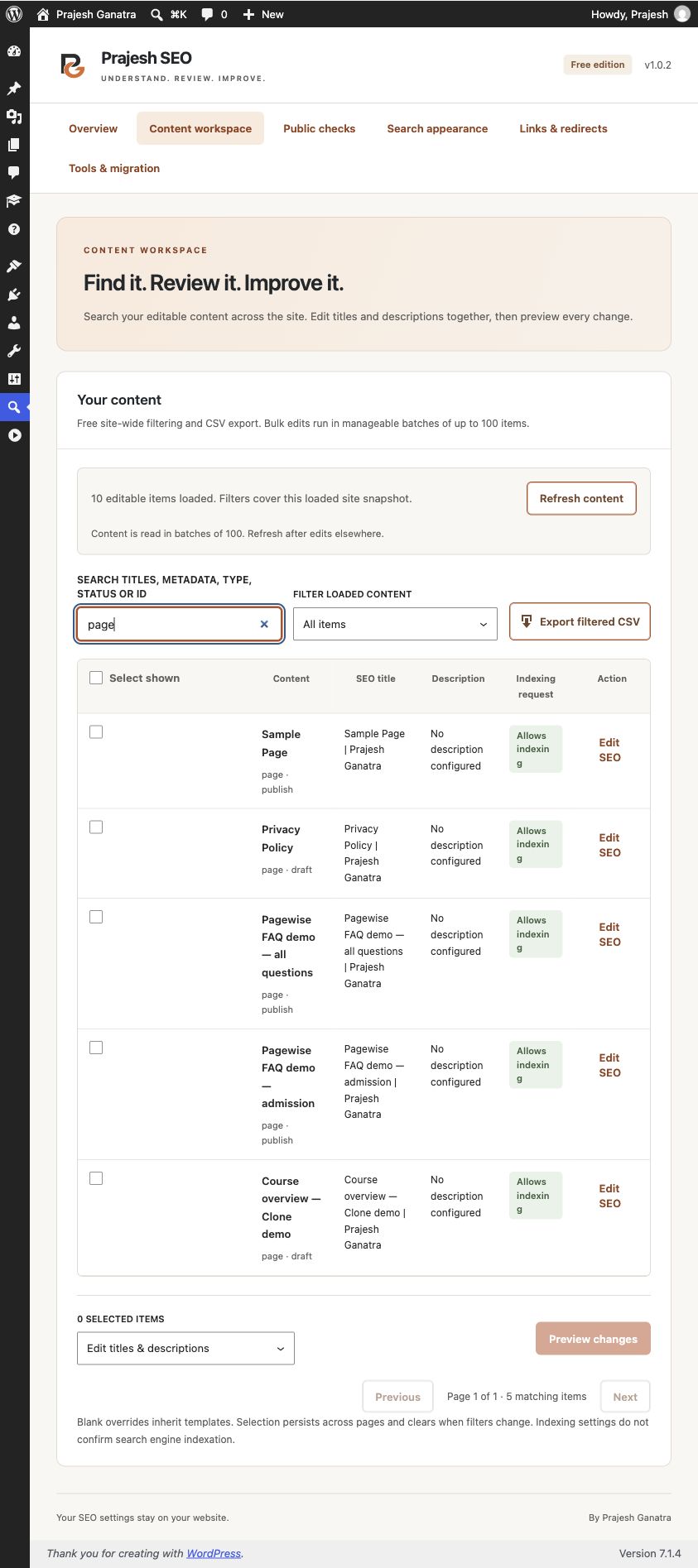
- Search and filter a loaded snapshot of editable site content; export filtered rows as CSV.
- Review batches of SEO title and description changes before applying; undo the last unchanged metadata batch.
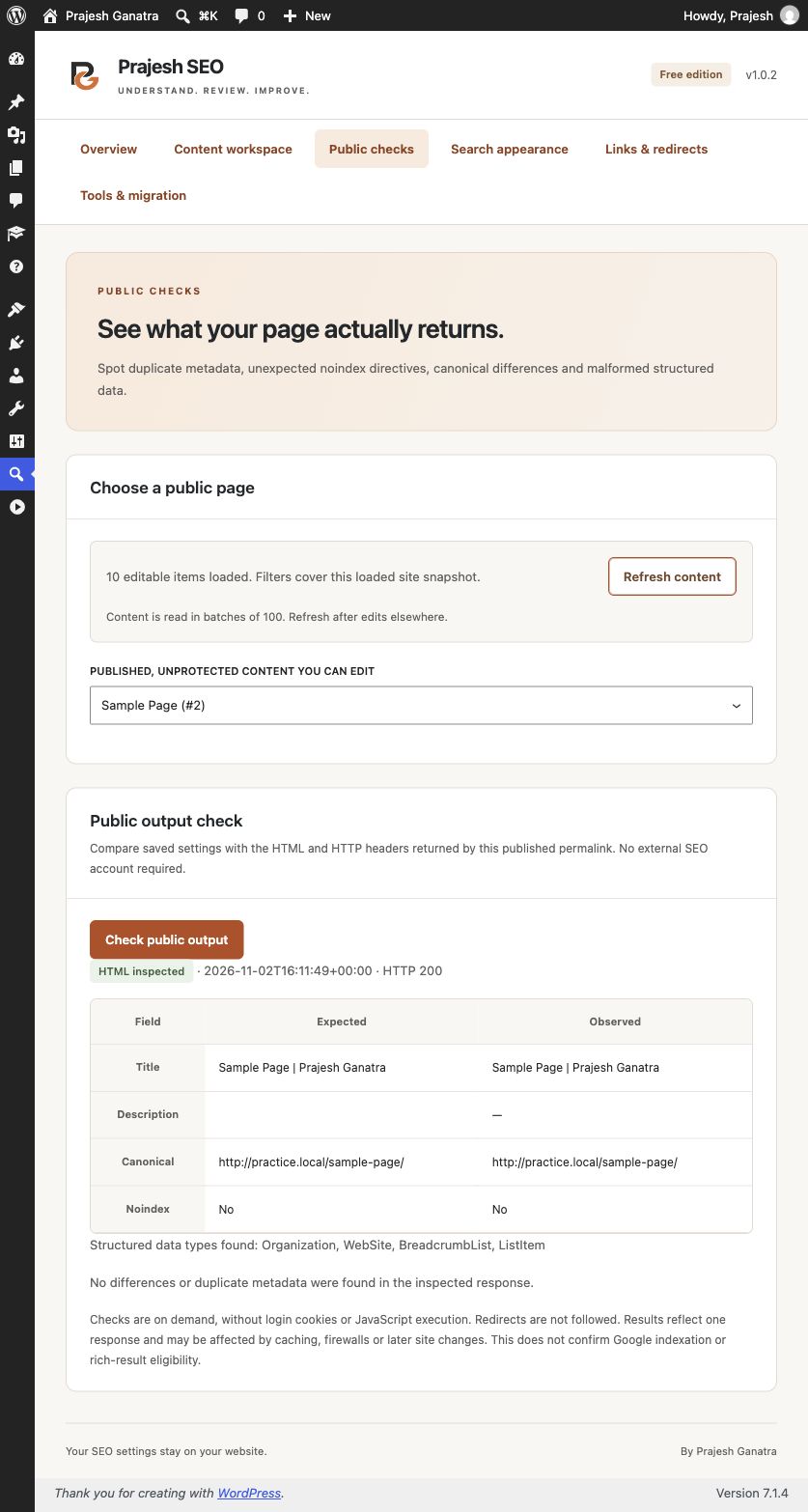
- Run on-demand checks for titles, descriptions, canonicals, robots directives and JSON-LD evidence.
- Configure title templates, social tags and standard structured data; filter the native WordPress XML sitemap.
- Create exact-match local 301 or 302 redirects with loop checks.
- Preview supported Yoast or Rank Math post metadata imports without deleting the source metadata.
Getting started
A straightforward workflow.
- 01
Review your current setup
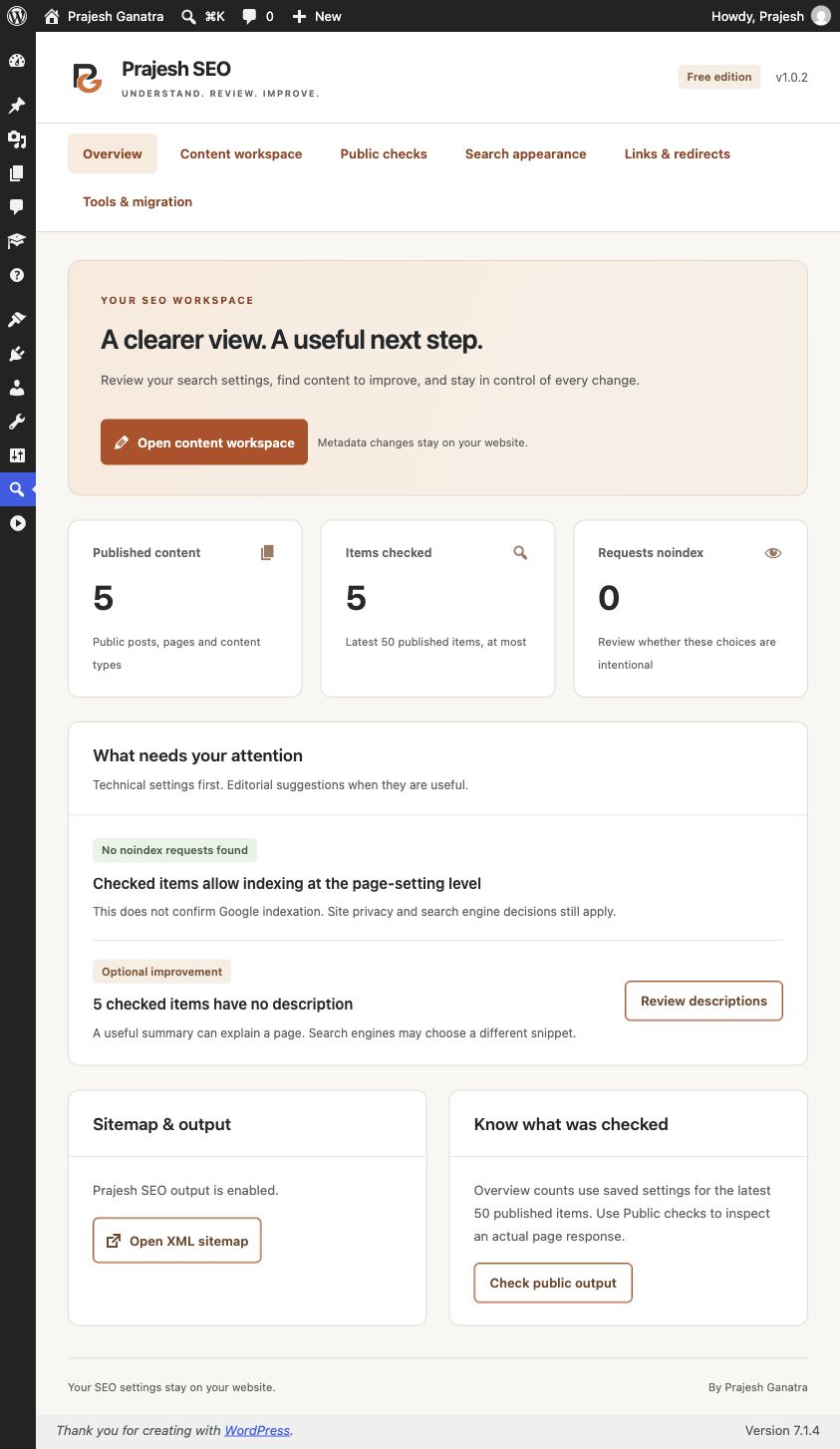
Open Prajesh SEO. Resolve any competing-plugin notice, then review search appearance, templates and eligible content types. Keep a current backup before changing site-wide output.
- 02
Find and review content changes
Open Content workspace, let the editable content snapshot load, then search or filter. Review proposed title and description changes before explicitly applying a batch.
- 03
Check a public page
Choose a published, unprotected page under Public checks. Inspect the returned evidence, resolve findings in the appropriate tool and rerun the check after changes.
Open Plugins → Add New Plugin, search for “Prajesh SEO”, then install and activate it. Check the requirements above first.
Inside the plugin
See the tools you’ll use.
Before you install
A few useful answers.
Public checks inspect one unauthenticated same-origin response without JavaScript and do not confirm Google indexing, ranking or rich-result eligibility. Known competing SEO plugins pause output. Single-site WordPress 6.5+ and PHP 8.2+; review the directory readme for current limits.
Does it guarantee higher rankings?
No. It provides metadata controls and technical evidence. Search engines decide indexing and ranking; there is no ranking guarantee or certification of rich-result eligibility.
Can I run it alongside another SEO plugin?
Known competing SEO plugins pause Prajesh SEO output, sitemap filters, redirects and logging. Resolve the conflict deliberately; Prajesh SEO does not deactivate another plugin for you.
What can undo restore?
The last metadata batch is stored per user, and later edits are preserved. Global settings, redirects and exported files are not restored through this feature. Keep normal backups.
Is content sent to a third-party service?
No vendor account or telemetry is included. Public checks request the same site without authentication cookies. Optional 404 logging stores a bounded set of request paths locally; review its privacy notes before enabling it.
Does it replace WordPress sitemaps?
It integrates with and filters the native WordPress XML sitemap. It is not a separate Search Console integration or proof that submitted pages are indexed.
What is outside this release?
No taxonomy/archive SEO editor, AI, Search Console, redirect CSV tooling or automatic JSON restoration is included. Migration supports a documented subset of post metadata and skips unsupported variables.
Ready when you are
Make the next update easier.
Download the current release and find support on WordPress.org.
Requirements reflect the directory catalogue checked 16 November 2026. Check WordPress.org for the latest compatibility information.